Guided workspace
Vachan Studio
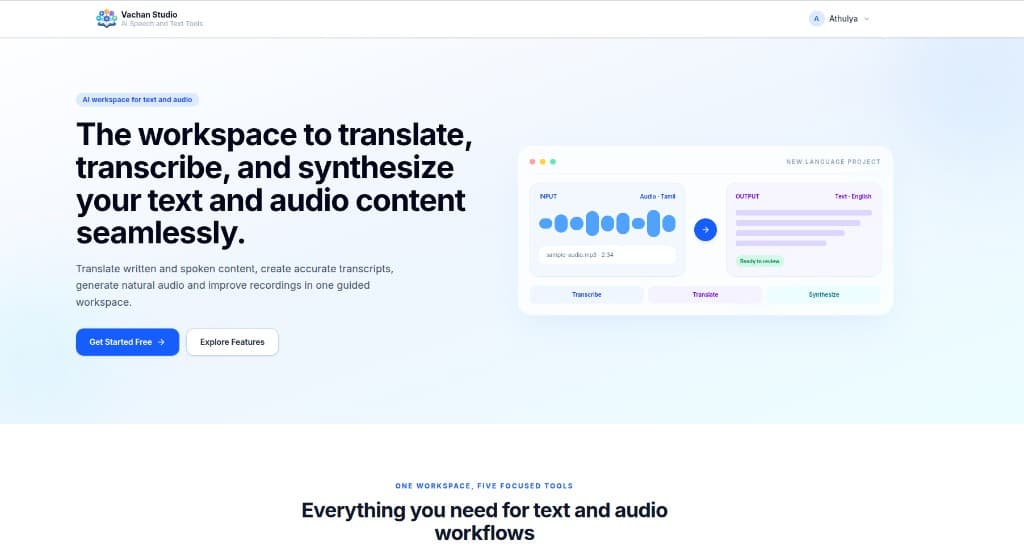
The workspace to translate, transcribe, and synthesize your text and audio content seamlessly.
What it is for
One place for written translation, spoken transcripts, natural audio, and cleaner recordings.
Vachan Studio is a guided workspace for teams who move between text and voice. Instead of jumping across separate tools, translators stay in one flow: write, listen, generate, and refine.
It is built for Scripture and multilingual content. Translation keeps meaning and nuance in view, transcription turns speech into text, synthesis produces natural audio, and audio improvement cleans recordings without leaving the project.
The studio is meant to feel directed rather than technical. Each task sits in the same workspace, so a draft, a transcript, and a spoken version can grow together.
Who it is forScripture translators, translation teams, and creators working with multilingual text and audio.
- 01Translate written and spoken content
- 02Create accurate transcripts
- 03Generate natural audio
- 04Improve recordings in the same workspace
The interface.
Screens from the product. Open any frame for a closer look.
A quick tour.
Play through the interface. The reel runs for half a minute and you can scrub to any moment.
Workspace
Download
Get it directly.
Vachan Studio opens directly in the browser. There is no installer.
Open the studioProduct website
See it live.
Open the official Vachan Studio website for the live tool, documentation, and the latest public release.
Explore product websiteContact BCS
Talk with Bridge Connectivity Solutions.
Vachan Studio is part of Vachan.org, built by Bridge Connectivity Solutions Pvt. Ltd. (BCS). Write or call if you want a walkthrough, a deployment conversation, or help choosing the right tool.
- info@bridgeconn.com
- Phone
- +91-11-41557314
- Office
- 1st Floor, Plot Nos. 11- 13, Amberhai Main Road, Sector 19, Dwarka, New Delhi - 110075, India.
© 2026 Vachan.org · Bridge Connectivity Solutions Pvt. Ltd. (BCS)